

Dashboard
The dashboard is the first thing you see when you sign in. It answers one question quickly: what needs me today.
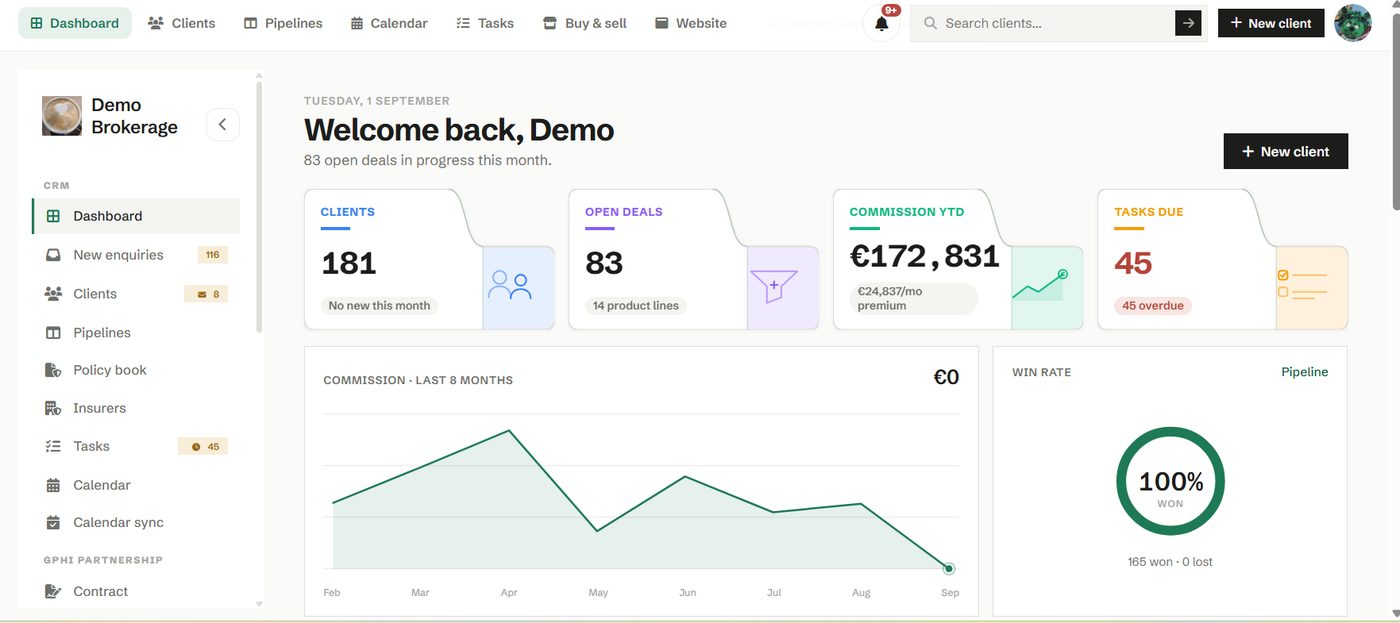
Across the top you get the numbers that matter, your total clients, open deals in progress, commission year to date and the tasks that are due. Below that sit a commission trend for the last eight months and your win rate, so you can see how the year is shaping up at a glance.
How to use it
Start your day here. The tiles are live counts, so if tasks are overdue or enquiries are waiting, the number tells you before you go looking. Click any tile to jump straight to the list behind it.
- Open the New enquiries count to triage fresh leads.
- Open Tasks due to clear anything overdue.
- Use the trend and win rate to spot a month that is slipping and act early.
Try it in your own workspace
Create a free account and use Dashboard with your own clients.
Get started free See it in the manual