

Pipelines
A pipeline shows your deals as columns, one per stage, so you can see at a glance which cases are moving and which are stuck.
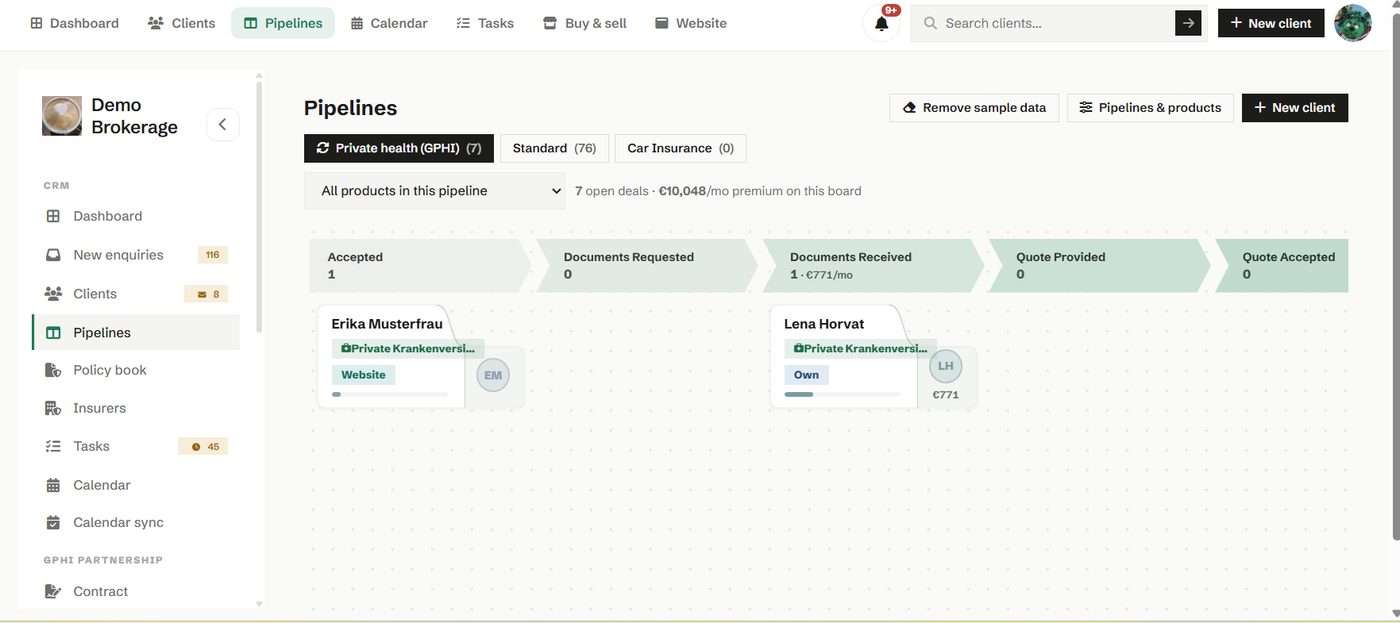
Each card is one deal, one client and one product. You drag a card from stage to stage as the case progresses, and the client timeline records every move. Won and lost stages keep your reporting honest, because the board knows which deals are still live.
How to use it
- Switch between pipelines using the selector at the top.
- Drag a deal to its new stage as things happen.
- On a phone, use the move control on a card rather than dragging.
- Set up your stages under Pipelines and products so the board matches how you sell.
Try it in your own workspace
Create a free account and use Pipelines with your own clients.
Get started free See it in the manual